
$28.30
Add to Cart
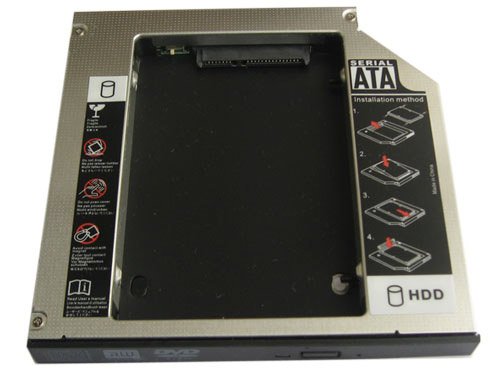
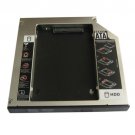
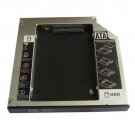
2nd Hard drive HDD Caddy Bay For Dell Inspiron XPS M1210 M1710 NEW
Description:
Brand New Universal 12.7mm PATA/IDE to SATA 2nd HDD HARD DISK DRIVE caddy
This SATA Hard Drive Caddy fits following laptop:
Dell Inspiron XPS M1210 M1710
SATA 2ND Hard Disk Drive HDD caddy/adapter for all uses 12.7mm height DVD dirve with IDE connector to the motherboard. It work with SATA Hard drive, and SSD (Solid State Drive) as well.
This item will replace the following drive DVD model number and increase your HDD volume by adding a 2nd HDD: GSA-T20N,GSA-T20L,GSA-T40N,GSA-T40L,TS-L632H,TS-L462,UJDA760,UJ-850,UJ-861,UJ-870,etc.
HDD Interface: SATA
Machine interface: IDE/PATA
1. Fast & Reliable connection, just as the primary HDD
2. Fully integrated into laptop, no cables/PSU/software driver needed
3. Dual boot, Support installation of 2nd operating system on the 2nd HDD and boot selection.
Installation steps:
1. Unpack the hard drive, lift the hard drive dacaddy retaining latch, then screws to the hard drive.
2. Insert the hard drive into the hard drive caddy.
3. Slide the hard drive into the connector until it locks into place.
4. Lower the hard drive caddy retaining latch until it snaps closed.
Package Included:
1 X SATA 2nd HDD Caddy (come with the face plate,for 2.5" HDD,does not include hard drive)
Brand New Universal 12.7mm PATA/IDE to SATA 2nd HDD HARD DISK DRIVE caddy
This SATA Hard Drive Caddy fits following laptop:
Dell Inspiron XPS M1210 M1710
SATA 2ND Hard Disk Drive HDD caddy/adapter for all uses 12.7mm height DVD dirve with IDE connector to the motherboard. It work with SATA Hard drive, and SSD (Solid State Drive) as well.
This item will replace the following drive DVD model number and increase your HDD volume by adding a 2nd HDD: GSA-T20N,GSA-T20L,GSA-T40N,GSA-T40L,TS-L632H,TS-L462,UJDA760,UJ-850,UJ-861,UJ-870,etc.
HDD Interface: SATA
Machine interface: IDE/PATA
1. Fast & Reliable connection, just as the primary HDD
2. Fully integrated into laptop, no cables/PSU/software driver needed
3. Dual boot, Support installation of 2nd operating system on the 2nd HDD and boot selection.
Installation steps:
1. Unpack the hard drive, lift the hard drive dacaddy retaining latch, then screws to the hard drive.
2. Insert the hard drive into the hard drive caddy.
3. Slide the hard drive into the connector until it locks into place.
4. Lower the hard drive caddy retaining latch until it snaps closed.
Package Included:
1 X SATA 2nd HDD Caddy (come with the face plate,for 2.5" HDD,does not include hard drive)
Other Products from anybatteries (View All)
-
$25.53
-
$28.33
-
$25.55
-
$25.57
-
$25.58
-
$25.60
-
$25.61
-
$25.62
-
$25.64

-
$25.65


 CN, Guangdong
