
$28.33
Add to Cart
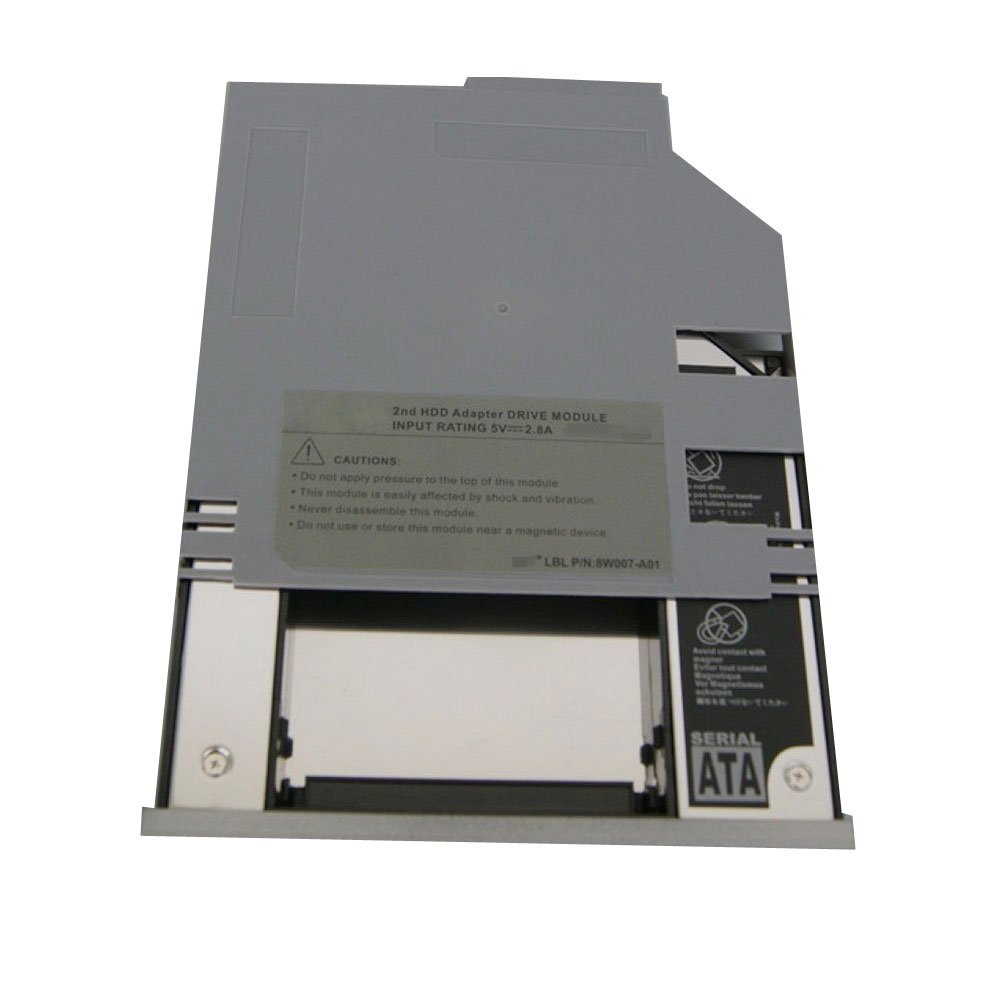
2nd hard drive HDD caddy Bay For Dell D620 D630 D600 D610 Swap CD/DVD Drive NEW
More than 10 available, 4 sold
Details
Shipping: Australia: $7.00 (more destinations)
Condition: Brand new
Description:
Brand New 12.7mm IDE TO SATA 2nd HDD Caddy Bay For Dell Latitude D/Inspiron/Precision M series
This SATA Hard Drive Caddy fits following laptop:
DELL Latitude: D500, D505, D510, D520, D530, D600, D610, D620, D630, D800, D810, D820, D830, D8100, D5100 , X1, X300, D400, D410, D420, D430
The Dell 2nd Hard Disk Drive Adapter for UltraBay Slim gives you maximum storage flexibility enabling you to add a second Dell notebook hard disk drive to any UltraBay Slim modular bay.
With the second HDD in your UltraBay Slim, you have the fastest way to back-up key applications and critical data.
Compatible Hard Disk : 2.5"/9.5mm SATA Hard Drive Disk
HDD Interface: SATA
Machine interface: IDE
1. Fast & Reliable connection, just as the primary HDD
2. Fully integrated into laptop, no cables/PSU/software driver needed
3. Dual boot, Support installation of 2nd operating system on the 2nd HDD and boot selection.
Installation steps:
1. Unpack the hard drive, lift the hard drive dacaddy retaining latch, the screws to the hard drive.
2. Insert the hard drive into the hard drive caddy.
3. Slide the hard drive into the connector until it locks into place.
4. Lower the hard drive caddy retaining latch until it snaps closed.
Package Included:
1 X 2nd HDD Caddy New
Brand New 12.7mm IDE TO SATA 2nd HDD Caddy Bay For Dell Latitude D/Inspiron/Precision M series
This SATA Hard Drive Caddy fits following laptop:
DELL Latitude: D500, D505, D510, D520, D530, D600, D610, D620, D630, D800, D810, D820, D830, D8100, D5100 , X1, X300, D400, D410, D420, D430
The Dell 2nd Hard Disk Drive Adapter for UltraBay Slim gives you maximum storage flexibility enabling you to add a second Dell notebook hard disk drive to any UltraBay Slim modular bay.
With the second HDD in your UltraBay Slim, you have the fastest way to back-up key applications and critical data.
Compatible Hard Disk : 2.5"/9.5mm SATA Hard Drive Disk
HDD Interface: SATA
Machine interface: IDE
1. Fast & Reliable connection, just as the primary HDD
2. Fully integrated into laptop, no cables/PSU/software driver needed
3. Dual boot, Support installation of 2nd operating system on the 2nd HDD and boot selection.
Installation steps:
1. Unpack the hard drive, lift the hard drive dacaddy retaining latch, the screws to the hard drive.
2. Insert the hard drive into the hard drive caddy.
3. Slide the hard drive into the connector until it locks into place.
4. Lower the hard drive caddy retaining latch until it snaps closed.
Package Included:
1 X 2nd HDD Caddy New


 CN, Guangdong
