$86.34
Add to Cart
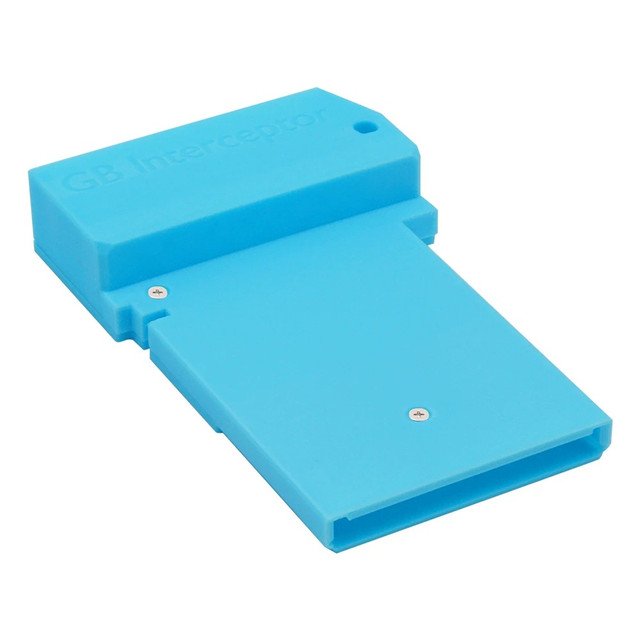
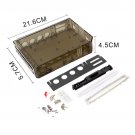
Raspberry Pi Pico RP2040 Video Capture Card Blue For Game Boy GBC Pocket Console On PC Plug USB And
2 available
Details
Shipping: Australia: free (more destinations)
Condition: Brand new
Returns: 7 days, buyer pays return shipping (more)


Introductions:
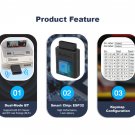
The GB Interceptor is an adapter that goes between an unmodified Game Boy and the cartridge and offers a video stream of the game via USB. The core processing unit consists of the Raspberry Pi rp2040 (the Raspberry Pi Pico’s microcontroller).
Features:
• Plug and play without modifying the Gameboy
• Capture or stream Game Boy gameplay footage via USB
• Compatible with a variety of Gameboy consoles
Usage:
Note: you do not need to open the video stream first. The only important step is that the GBinterceptor is powered via USB before the Game Boy is turned on.
1. Plug the gb Interceptor into the gameboy console, then plug in the game card.
2. Connect the Gb Interceptor to your computer, then turn on the Gameboy.
3. Load the game video source on the video software device.
Buttons
[Mode] button (next to the LEDs)
Switch between grayscale/green colors and toggle frame blending. Each press switches colors and frame blending is toggled each time it returns to grayscale.
[Flash] button (near the center, usually inside the case)
Only used to flash a new firmware version. Simply hold it while plugging in the USB cable. The Interceptor should appear as a storage device (like a USB stick) and you can simply drag the new firmware file (a uf2 file) into it.
SHIPPING
Estimate shipping is 4 to 7 weeks
The GB Interceptor is an adapter that goes between an unmodified Game Boy and the cartridge and offers a video stream of the game via USB. The core processing unit consists of the Raspberry Pi rp2040 (the Raspberry Pi Pico’s microcontroller).
Features:
• Plug and play without modifying the Gameboy
• Capture or stream Game Boy gameplay footage via USB
• Compatible with a variety of Gameboy consoles
Usage:
Note: you do not need to open the video stream first. The only important step is that the GBinterceptor is powered via USB before the Game Boy is turned on.
1. Plug the gb Interceptor into the gameboy console, then plug in the game card.
2. Connect the Gb Interceptor to your computer, then turn on the Gameboy.
3. Load the game video source on the video software device.
Buttons
[Mode] button (next to the LEDs)
Switch between grayscale/green colors and toggle frame blending. Each press switches colors and frame blending is toggled each time it returns to grayscale.
[Flash] button (near the center, usually inside the case)
Only used to flash a new firmware version. Simply hold it while plugging in the USB cable. The Interceptor should appear as a storage device (like a USB stick) and you can simply drag the new firmware file (a uf2 file) into it.
SHIPPING
Estimate shipping is 4 to 7 weeks
Other Products from californian (View All)
-
$60.43
-
$71.95
-
$60.43
-
$21.57
-
$86.34
-
$86.34
-
$28.77

-
$28.77

-
$60.43
-
$60.43