
$168.06
Add to Cart
A1989 Laptop Battery, A1964 Replacement Compatible with Macbook Pro 13 Inch A198
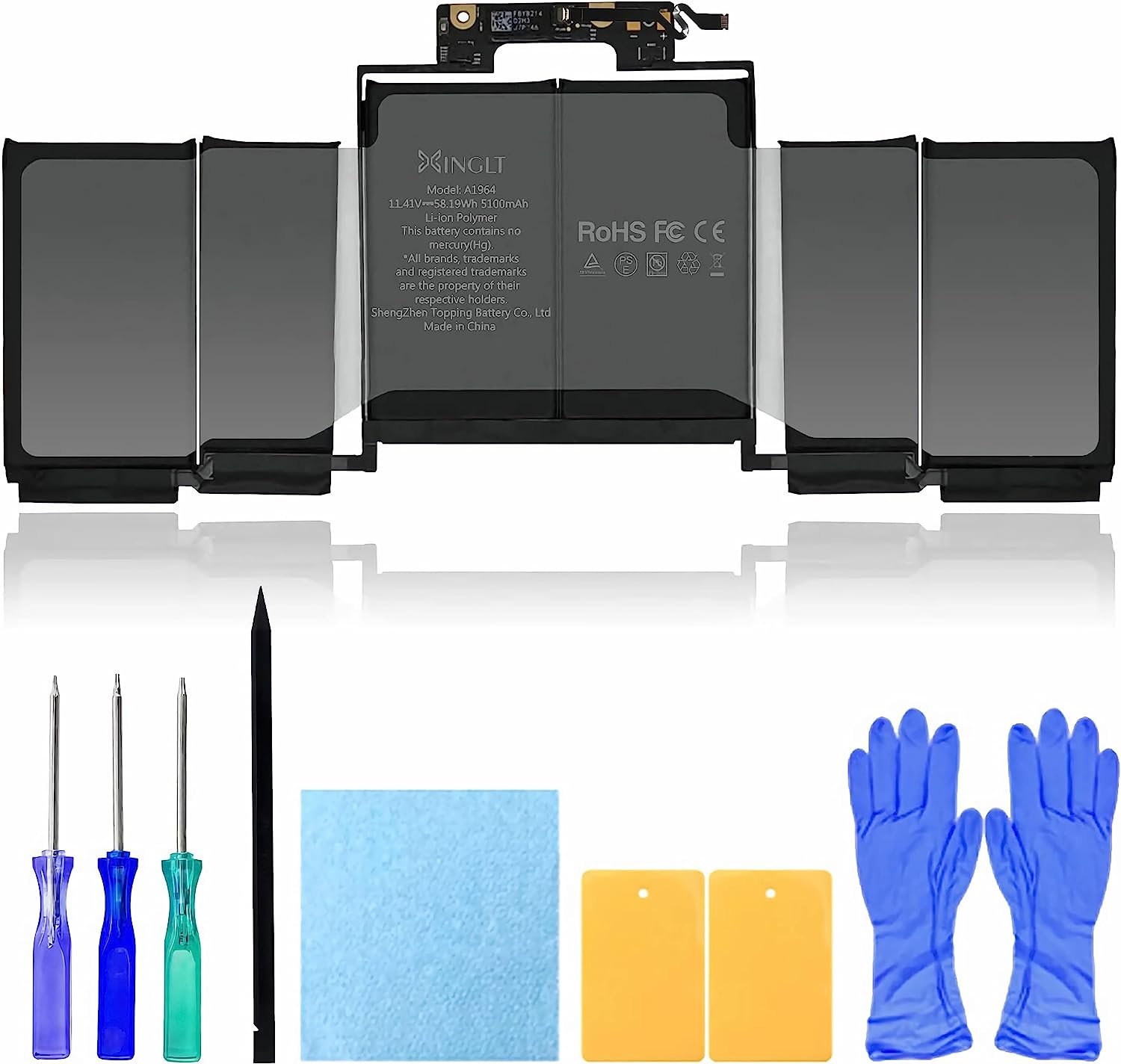


XINGLT MacBook Pro Battery: [New Upgraded 3.0, Japan Electric Core, Cobalt Proportion: 99%]. Cobalt: 99%, The higher the proportion of cobalt, the better the performance of the battery. The manufacturing standards and testing standards are the same as those of the original battery supplier.New A1964 A1989 Battery: Battery compatible with Macbook Pro 13 inch with Japan High-Performance Electric Core, 5100mAh Voltage:11.41V Capacity: 58.19Wh.After-Sale and OperationTime: Consistent with the new original battery life, even more than the original battery. Up to 500 recharge cycles over the life of the battery. 12 Months After-sale (Normal capacity loss is not covered by the After-sale) 30 days money return service and 24/7 Email customer support.Replacement Battery compatible with MacBook Pro: compatible with MacBook Pro 13 inch A1989 (Mid 2018 2019) A2251 (2020), MR9Q2xx/A MR9R2xx/A MR9T2xx/A MR9U2xx/A MR9V2xx/A. EMC Applicable number: 3214/3348/3358(see compatible models)Newest Premium Grade Cells: XINGLT MacBook Pro laptop replacement battery ensure fast charges and low power consumption; Built-in circuit protection ensures both safety and stability. UL-/CE-/FCC-/RoHS-Certified for safety, About 500 recharge cycles over the life of the battery (Life cycle: 3-5 years) Product Description A1989 Replacement Battery For MacBook pro 13 inch--A1964(11.41V. Capacity: 58.19Wh / 5100mAh, Battery Type: Li-ion) Compatible Laptop/Notebook Model Details-- MacBook pro 13 inch A1989 (Mid 2018) Compatible with MacBook Pro 13-Inch "Core i5" 2.3 Touch MacBookPro15,2 EMC3214 (MR9Q2xx/A, MR9R2xx/A, MR9T2xx/A, MR9U2xx/A, MR9V2xx/A) Compatible with MacBook Pro 13-Inch "Core i7" 2.7 Touch MacBookPro15,2 EMC3214 (MR9Q2xx/A, MR9R2xx/A, MR9T2xx/A, MR9U2xx/A, MR9V2xx/A) Compatible Laptop/Notebook Model Details-- MacBook pro 13 inch A1989 (2019) Compatible with MacBook Pro 13-Inch "Core i5" 2.4 Touch MacBookPro15,2 EMC3358 (MR9Q2xx/A, MR9R2xx/A, MR9T2xx/A, MR9U2xx/A, MR9V2xx/A) Compatible with MacBook Pro 13-Inch "Core i7" 2.8 Touch MacBookPro15,2 EMC3358 (MR9Q2xx/A, MR9R2xx/A, MR9T2xx/A, MR9U2xx/A, MR9V2xx/A) Compatible Laptop/Notebook Model Details--MacBook pro 13 inch A2251 (2020) Compatible with MacBook Pro 13-Inch "Core i5" 2.0 2020 4 TB 3 (Scissor), MacBookPro16,2, EMC3348 (MWP42xx/A, MWP52xx/A, MWP62xx/A, MWP72xx/A, MWP82xx/A) Compatible with MacBook Pro 13-Inch "Core i7" 2.3 2020 4 TB 3 (Scissor), MacBookPro16,2, EMC3348 (MWP42xx/A, MWP52xx/A, MWP62xx/A, MWP72xx/A, MWP82xx/A) Our design for you Upgarded Electric core Intelligent core temperature control,full real-time temperature control ,won't get hot and hurt the machine 100% REAL CAPACITY 100% REAL CAPACITY 11.41V. 58.19Wh 5100mAh.Large capacity.No false label Low temperature operation Upgraded dual-band, can run even at low temperatures Normal questions What is SMC? Resetting the System Management Controller (SMC) resolves certain issues related to power, battery, and other functions.The SMC is responsible for managing the behavior associated with the following functions. If you are experiencing problems related to these functions, you may need to reset the SMC.-Power, including the power button and the USB port for power, battery, charging, fan, and other thermal management functions.-Indicators or sensors, such as status indicators (sleep status, battery charge status, etc.), burst motion sensors, ambient light sensors and keyboard backlighting, and behavior when opening and closing the laptop lid. How to reset SMC? Operation steps are as follows. Turn the computer off.On the built-in keyboard, press and hold all of the following keys. -Shift on the left side of the keyboard ;-Control on the left side of the keyboard ;-Option (Alt) on the left side of the keyboard ;While holding down all three keys, press and hold the power button. Press and hold all four keys for 10 seconds.Release all keys and press the power button to turn the computer on to complete the reset. Why my battery capacity is decreasing ? After a certain number of charges, the capacity of any type of battery decreases, and the capacity of a lithium-ion battery, slightly with the completion of each charge cycle decreases.All rechargeable batteries are consumable components that become less efficient as the product ages, and their age is not determined by time alone.The life of a battery depends on its chemical age, which is influenced by several factors, such as temperature history and charging patterns.The charge capacity of a laptop battery decreases with chemical age. How to view battery information? Press and hold the Option key, and then tap the Apple logo menu in the upper left corner.Select "System Information". In the System Information window, under the Hardware section, select Power.On the left side, you will see the "Battery Information" section. XINGLT LAPTOP BATTERY-Power you can rely on Parameter 11.4V, 54.5Wh/4781mAh A1713 Battery for 13inch Macbookpro A1708(Late 2016 Mid 2017)A2159 (2019) A2289 (2020) A2338 (2020) 11.41V, 49.2WH/4320mAh A1819 Battery for 13inch Macbookpro A1706(Late 2016 Mid 2017) 11.34V, 79.4Wh/7000mAh A1493 Battery for 13" MacBookPro A1502(Late 2013 Mid 2014 Early 2015) 11.4V, 84.36WH/7400mAh A1953 Battery for 15inch MacBook Pro A1990(Mid 2018 2019) 11.26V, 95.03Wh/8440mAh A1494 Battery for 15inch Retina MacBook Pro A1398 (Late 2013, Mid 2014, Early 2015) 11.4V, 76.15Wh/6680mAh A1820 Battery for 15inch MacBook Pro A1707(Late 2016, Mid 2017) Track Page Views WithAuctiva's Counter
Other Products from lumshen (View All)
-
$871.68

-
$227.83

-
$123.17

-
$1,263.21

-
$115.71

-
$764.29

-
$439.99

-
$78.26

-
$65.80

-
$714.38


