
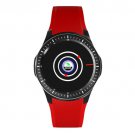
characteristicsHeart rateBlood pressure (It does not support more than 150 blood pressure)Blood oxygen monitorPPG+ECG MonitorDistanceCaloriessleep(Before going to bed, smart bracelets and mecare need to refresh the sync data.)RunRide bikeCaller ID (Need to set on APP and mobile phone)SMS Reminder (Need to set on APP and mobile phone)APP Reminder (whatsapp,Twitter,line,Facebook) ((Need to set on APP and mobile phone)Sedentary remindedAlarm clock reminderLong press to reject the call APP name is "mecare"Kindly Note:For Android Phone, OS must be 4.4 or above and Bluetooth must be V4.0 or above (don't support Samsung j1 and j3 For ios phone, iOS must be 8.0 or above and Bluetooth must be V4.0 (support ipone 5s or above)1: After download mecare APP, pls be sure to set the correct User info in Mecare app (Age, sex, Height, Weight), When measuring, if quit or can't measure on the bracelet. Please change the skin color on app 2. When you open the MeCare app on your phone you need to scroll down the screen to see all of the menu options.3. The ECG is initiated from the MeCare app on your phone (not from the Vwar V5). Have a finger pressed to the contact on the side of the Vwar V5 and then start the ECG from the MeCare app. The ECG should then start scrolling across the screen in the MeCare app. If the ECG is not showing a good reading try adjusting how your finger is pressed to the contact on the side of the Vwar V5, also try pressing down gently on the Vwar V5 to improve the connection of the two contact points underneath (against your wrist) or setting restore the factory settings on the APP Package Included:1 x Smart Watch1 x User Manual1 x charger Cable
Other Products from johnnystores2u (View All)
-
$40.43

-
$58.55

-
$25.09
-
$62.73

-
$62.73
-
$85.04

-
$54.37
-
$64.13
-
$47.40

-
$289.97


 GR, Attica
