$417.37
Add to Cart
"Creating the cosmic light wave! (Knowing your power for Ascension!)
More than 10 available, 255 sold
Details
Shipping: Australia: free (more destinations)
Condition: Brand new
Purpose
• To Feel and connect to high frequency etheric energy.
• To let go of the old/past and get the courage to access your true self.
• To understand cosmic portal energy and how it’s used.
• To learn that healing of self must be included in your service to other activities.
• To tune into the frequencies of the living light beings
Instructions for webinar participation:
Eat lightly and eliminate sugar, alcohol and red meats 2 weeks before the webinar for physical balance. Tones will be used during this webinar. As with all of our webinars you will need to have your pathways and channels clean so that the energies will travel through the body without issue.
You will need your large "clear" and "Amethyst' crystal for the meditation and healing portion of the webinar. You will also need paper and something to write with for the exercise portion of the webinar.
Wear comfortable clothing.
Make sure that you are alone and have no interruptions during the webinar. Please put your pets away out of the room and close doors so that you don't have any interruptions.
Do your favorite healing technique on yourself or astral geometry before you start the webinar. Whatever you are comfortable with to "rev up" your energy.
Be ready to concentrate and focus your power intently during the practice exercise period and meditation period.
Test all of your computer equipment/phone equipment out at least a day before the webinar begins. Make sure your headphones and computer audio are working.
Use creative thoughts of Love and happiness during the webinar
Many Blessings
Derek.... :)
Registration:
Webinar Date: Monday Aug 28th 2023
Time : 8:30 pm -10:30 pm EST.
Webinar space is limited due to "bandwidth restrictions" so please register early to make sure that we can reserve you a spot in line.
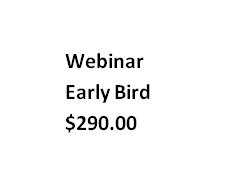
Best Cost: Early bird-$290.00
Deposit: $145.00... Balance due on or before Aug 27th 2023
After: AUG 25th 2023. Full amount due:...$308.00
After: AUG 27th 2022 ...No REGISTRATION Please call us if you still want to get in.
No Refunds after Aug 14th 2023, (Please contact us if you have a problem, with your link before the 28th you may still be able to get in the day before, just don't wait til the actual time of the webinar to contact us as I will be busy setting up and preparing.)
If you don't receive a "join link" the day before workshop contact me as soon as possible so I can get things corrected, please don't wait until few minutes before the start of webinar to let me know that there is a problem.
Method of Payment: Pay Pal is Preferred (working with checks is time consuming)...(personal Pay Pal accounts are not necessary you can use a credit/debit card if needed just choose credit card from the listing when Pay Pal asks you for method for payment.)
If you have to use a check: (Make checks out to Derek Newton)
Contact: Jim or Derek Newton
Email: ([email protected]) or ([email protected])
P.S. If you are having financial issues e-mail me and we may be able to work something out as I understand what people are going through during this time period. There will be some separate steps you will have to go through to get you registered..
IMPORTANT COPYRIGHT RULES:
You are allowed to copy notes FOR YOURSELF during the workshop using screen capture program called“Lightshot” (Here is a link: http://app.prntscr.com/en/index.html) Any other screen capture program will work too.
Please DO NOT give any notes to other people within the workshop or outside of the workshop without the permission of DEREK J. NEWTON
We use a service called "Zoho" for the webinars (to learn more go to: https://help.zoho.com/portal/en/kb/meeting/user-guide/system-requirements/articles/system-requirements#Hardware
They have "encryption" which requires a
certain amount of computing power, make sure your computer meets their software and hardware requirements.
When all the registrations have been received, we will send you a join link 3 days to 1 day before the start of the work shop. These join links are
"automated"
Zoho join link address in your "white list" for your "E-mail" account setup otherwise, your e-mail service will block the join link because it will think it's "spam" which it is not.
MAKE SURE THAT THE E-MAIL THAT WE HAVE FROM YOU, IS THE CORRECT ONE FOR THE WORKSHOP!! WE WILL USE THAT E-MAIL TO SEND OUT YOUR "JOIN LINK"!!
DO NOT USE E-MAILS FROM YOUR PLACE OF WORK OR BUSINESS AS THEY DO NOT WORK WELL!! (Your business e-mails are also monitored and controlled)
USE PERSONAL E-MAILS ONLY!!
For example:
Gmail.com,Hotmail.com,Comcast.net,Mail.com,ATT.net,GMX.com,Yandex.com etc..
I do not recommend AOL,Yahoo or Earth-link for join link use!! as they are not Robo-E-mail friendly. Recently "Yahoo" was hacked and personal information was compromised. If you are still using Yahoo please discontinue using their service as can we no longer recommend them.
[email protected] IS IN YOUR E-MAIL "WHITE-LIST" (SAFE SENDERS LIST) SO THAT OUR E-MAILS WON'T GO TO YOUR "SPAM OR JUNK" FOLDERS!!! PLEASE TELL OTHERS WHO HAVE SUBSCRIBED TO OUR E-MAILS OF THIS ALSO!!
If YOU ARE NOT RECEIVING SOME OUR E-MAILS IT'S NOT BECAUSE WE DIDN'T SEND THEM TO YOU, IT'S BECAUSE YOUR E-MAIL PROVIDER HAS BLOCKED US OR HAS DELETED THE E-MAIL.
ALL OF OUR E-MAILS GO OUT IN COMPLETE BATCHES AND EVERY LAST ONE OF THEM IS MONITORED..
YOU MUST HAVE HEADPHONES THAT COVER BOTH EARS FOR THIS WORKSHOP!!!
Here is an example:
https://www.amazon.com/Logitech-ClearChat-Cancelling-Microphone-Headphones/dp/B000UXZQ42/ref=sr_1_sc_1?ie=UTF8&qid=1474781693&sr=8-1-spell&keywords=logitechcomputer+head+phones
If you are using your computer to listen in then you'll need a set for
your pc. If your are listening in with your cordless land-line phone, then you will need some for your phone too.
If you do not know how to use the " zoho" software on your computer, please go to the "zoho" website and learn how. RIGHT NOW!!!
Link: https://help.zoho.com/portal/en/kb/meeting/user-guide/system-requirements/articles/system-requirements#Hardware
System Requirements
Zoho Meeting is a web-based conferencing solution that works well with all modern browsers, operating systems and mobile devices. The following system requirements are applicable to presenters, participants or attendees of online meetings and webinars.
Hardware
Desktop/laptop with compatible OS
Built-in/plugged-in/wireless speakers and microphone
Web camera if video is required
Internet Speed
For audio-only sessions: 1 Mbps
For audio and video: 2.5 Mbps
For audio, video, and screen sharing: 5 Mbps
Compatible Operating Systems
Windows 7 (Version 6.1 and above)
Mac OS X 10.10 and above
Linux - All Operating Systems that support the latest Chrome and Firefox browsers.
Supported Web Browsers
Chrome - 55 and above
Firefox - 54 and above
Opera
Microsoft Edge (Version 79)
Safari
Note
A one-time download of the Zoho Meeting desktop app is required for Opera, Safari, and older versions of Microsoft Edge.
Mobile device requirements
Use the Zoho Meeting iOS and Android apps to start meetings, join meetings and webinars on the go.
Supported versions
iOS 10 or later
iPhone 5 or later, iPad Pro, iPad Mini2, iPad 4 or later, iPod touch 6th generation
Android 5.0x or later
I
PLEASE CONNECT YOUR INTERNET ROUTER or cable/DSL modem DIRECTLY TO YOUR COMPUTER... DO-NOT USE WI-FI!! (It’s not recommended)
First test your Internet speed by going to this website: http://www.speedtest.net/
YOUR COMPUTER MUST BE NO OLDER THAN "12" YRS OLD TO WORK PROPERLY AND HAVE AT LEAST A "DUAL CORE PROCESSOR"...
THIS WORKSHOP REQUIRES HEADPHONES COVERING "BOTH EARS". TONES WILL NOT BE EFFECTIVE IF BOTH EARS ARE NOT TOTALLY COVERED!!!
ALL MATERIALS TAUGHT ARE "COPYRIGHTED" AND ARE NOT PERMITTED TO BE USED. UNLESS BY ACCEPTED WRITTEN REQUEST TO DEREK J. NEWTON [email protected]
PLEASE!! DO-NOT TAKE YOUR NOTES AND PASS THEM TO OTHERS WITHOUT THE PERMISSION OF DEREK J. NEWTON
Disclaimer for Online Meeting and Webinar services
We are not responsible for lost connections to your webinar or meeting through acts of god such as thunderstorms, floods, power outages, or disrupts in service due to Zoho system maintenance.
We are not responsible if you did not receive any e-mails or newsflashes due to your server providers blocking or deleting our e-mails we send to you.
We are not responsible for Internet connection disruption through misuse or lack of understanding of your own computers.
You are responsible for keeping your PC or Laptop, current and up to date with the right hardware and software upgrades.
You are responsible for learning how to troubleshoot any software and hardware errors your computer may have on your own.
We will not be responsible for your anger or negativity toward us through your lack of knowledge or misunderstanding.
WE WILL NOT BE RESPONSIBLE FOR YOUR COMPUTER LOCKING UP, DROPPING AUDIO OR KICKING YOU OFF OF "Zoho". THOSE PROBLEMS ARE RELATED TO YOUR OPERATING SYSTEM SOFTWARE AND INTERNET SPEEDS.
Blessings and Embrace light to move forward
Derek N.
• To Feel and connect to high frequency etheric energy.
• To let go of the old/past and get the courage to access your true self.
• To understand cosmic portal energy and how it’s used.
• To learn that healing of self must be included in your service to other activities.
• To tune into the frequencies of the living light beings
Instructions for webinar participation:
Eat lightly and eliminate sugar, alcohol and red meats 2 weeks before the webinar for physical balance. Tones will be used during this webinar. As with all of our webinars you will need to have your pathways and channels clean so that the energies will travel through the body without issue.
You will need your large "clear" and "Amethyst' crystal for the meditation and healing portion of the webinar. You will also need paper and something to write with for the exercise portion of the webinar.
Wear comfortable clothing.
Make sure that you are alone and have no interruptions during the webinar. Please put your pets away out of the room and close doors so that you don't have any interruptions.
Do your favorite healing technique on yourself or astral geometry before you start the webinar. Whatever you are comfortable with to "rev up" your energy.
Be ready to concentrate and focus your power intently during the practice exercise period and meditation period.
Test all of your computer equipment/phone equipment out at least a day before the webinar begins. Make sure your headphones and computer audio are working.
Use creative thoughts of Love and happiness during the webinar
Many Blessings
Derek.... :)
Registration:
Webinar Date: Monday Aug 28th 2023
Time : 8:30 pm -10:30 pm EST.
Webinar space is limited due to "bandwidth restrictions" so please register early to make sure that we can reserve you a spot in line.
Best Cost: Early bird-$290.00
Deposit: $145.00... Balance due on or before Aug 27th 2023
After: AUG 25th 2023. Full amount due:...$308.00
After: AUG 27th 2022 ...No REGISTRATION Please call us if you still want to get in.
No Refunds after Aug 14th 2023, (Please contact us if you have a problem, with your link before the 28th you may still be able to get in the day before, just don't wait til the actual time of the webinar to contact us as I will be busy setting up and preparing.)
If you don't receive a "join link" the day before workshop contact me as soon as possible so I can get things corrected, please don't wait until few minutes before the start of webinar to let me know that there is a problem.
Method of Payment: Pay Pal is Preferred (working with checks is time consuming)...(personal Pay Pal accounts are not necessary you can use a credit/debit card if needed just choose credit card from the listing when Pay Pal asks you for method for payment.)
If you have to use a check: (Make checks out to Derek Newton)
Contact: Jim or Derek Newton
Email: ([email protected]) or ([email protected])
P.S. If you are having financial issues e-mail me and we may be able to work something out as I understand what people are going through during this time period. There will be some separate steps you will have to go through to get you registered..
IMPORTANT COPYRIGHT RULES:
You are allowed to copy notes FOR YOURSELF during the workshop using screen capture program called“Lightshot” (Here is a link: http://app.prntscr.com/en/index.html) Any other screen capture program will work too.
Please DO NOT give any notes to other people within the workshop or outside of the workshop without the permission of DEREK J. NEWTON
We use a service called "Zoho" for the webinars (to learn more go to: https://help.zoho.com/portal/en/kb/meeting/user-guide/system-requirements/articles/system-requirements#Hardware
They have "encryption" which requires a
certain amount of computing power, make sure your computer meets their software and hardware requirements.
When all the registrations have been received, we will send you a join link 3 days to 1 day before the start of the work shop. These join links are
"automated"
Zoho join link address in your "white list" for your "E-mail" account setup otherwise, your e-mail service will block the join link because it will think it's "spam" which it is not.
MAKE SURE THAT THE E-MAIL THAT WE HAVE FROM YOU, IS THE CORRECT ONE FOR THE WORKSHOP!! WE WILL USE THAT E-MAIL TO SEND OUT YOUR "JOIN LINK"!!
DO NOT USE E-MAILS FROM YOUR PLACE OF WORK OR BUSINESS AS THEY DO NOT WORK WELL!! (Your business e-mails are also monitored and controlled)
USE PERSONAL E-MAILS ONLY!!
For example:
Gmail.com,Hotmail.com,Comcast.net,Mail.com,ATT.net,GMX.com,Yandex.com etc..
I do not recommend AOL,Yahoo or Earth-link for join link use!! as they are not Robo-E-mail friendly. Recently "Yahoo" was hacked and personal information was compromised. If you are still using Yahoo please discontinue using their service as can we no longer recommend them.
[email protected] IS IN YOUR E-MAIL "WHITE-LIST" (SAFE SENDERS LIST) SO THAT OUR E-MAILS WON'T GO TO YOUR "SPAM OR JUNK" FOLDERS!!! PLEASE TELL OTHERS WHO HAVE SUBSCRIBED TO OUR E-MAILS OF THIS ALSO!!
If YOU ARE NOT RECEIVING SOME OUR E-MAILS IT'S NOT BECAUSE WE DIDN'T SEND THEM TO YOU, IT'S BECAUSE YOUR E-MAIL PROVIDER HAS BLOCKED US OR HAS DELETED THE E-MAIL.
ALL OF OUR E-MAILS GO OUT IN COMPLETE BATCHES AND EVERY LAST ONE OF THEM IS MONITORED..
YOU MUST HAVE HEADPHONES THAT COVER BOTH EARS FOR THIS WORKSHOP!!!
Here is an example:
https://www.amazon.com/Logitech-ClearChat-Cancelling-Microphone-Headphones/dp/B000UXZQ42/ref=sr_1_sc_1?ie=UTF8&qid=1474781693&sr=8-1-spell&keywords=logitechcomputer+head+phones
If you are using your computer to listen in then you'll need a set for
your pc. If your are listening in with your cordless land-line phone, then you will need some for your phone too.
If you do not know how to use the " zoho" software on your computer, please go to the "zoho" website and learn how. RIGHT NOW!!!
Link: https://help.zoho.com/portal/en/kb/meeting/user-guide/system-requirements/articles/system-requirements#Hardware
System Requirements
Zoho Meeting is a web-based conferencing solution that works well with all modern browsers, operating systems and mobile devices. The following system requirements are applicable to presenters, participants or attendees of online meetings and webinars.
Hardware
Desktop/laptop with compatible OS
Built-in/plugged-in/wireless speakers and microphone
Web camera if video is required
Internet Speed
For audio-only sessions: 1 Mbps
For audio and video: 2.5 Mbps
For audio, video, and screen sharing: 5 Mbps
Compatible Operating Systems
Windows 7 (Version 6.1 and above)
Mac OS X 10.10 and above
Linux - All Operating Systems that support the latest Chrome and Firefox browsers.
Supported Web Browsers
Chrome - 55 and above
Firefox - 54 and above
Opera
Microsoft Edge (Version 79)
Safari
Note
A one-time download of the Zoho Meeting desktop app is required for Opera, Safari, and older versions of Microsoft Edge.
Mobile device requirements
Use the Zoho Meeting iOS and Android apps to start meetings, join meetings and webinars on the go.
Supported versions
iOS 10 or later
iPhone 5 or later, iPad Pro, iPad Mini2, iPad 4 or later, iPod touch 6th generation
Android 5.0x or later
I
PLEASE CONNECT YOUR INTERNET ROUTER or cable/DSL modem DIRECTLY TO YOUR COMPUTER... DO-NOT USE WI-FI!! (It’s not recommended)
First test your Internet speed by going to this website: http://www.speedtest.net/
YOUR COMPUTER MUST BE NO OLDER THAN "12" YRS OLD TO WORK PROPERLY AND HAVE AT LEAST A "DUAL CORE PROCESSOR"...
THIS WORKSHOP REQUIRES HEADPHONES COVERING "BOTH EARS". TONES WILL NOT BE EFFECTIVE IF BOTH EARS ARE NOT TOTALLY COVERED!!!
ALL MATERIALS TAUGHT ARE "COPYRIGHTED" AND ARE NOT PERMITTED TO BE USED. UNLESS BY ACCEPTED WRITTEN REQUEST TO DEREK J. NEWTON [email protected]
PLEASE!! DO-NOT TAKE YOUR NOTES AND PASS THEM TO OTHERS WITHOUT THE PERMISSION OF DEREK J. NEWTON
Disclaimer for Online Meeting and Webinar services
We are not responsible for lost connections to your webinar or meeting through acts of god such as thunderstorms, floods, power outages, or disrupts in service due to Zoho system maintenance.
We are not responsible if you did not receive any e-mails or newsflashes due to your server providers blocking or deleting our e-mails we send to you.
We are not responsible for Internet connection disruption through misuse or lack of understanding of your own computers.
You are responsible for keeping your PC or Laptop, current and up to date with the right hardware and software upgrades.
You are responsible for learning how to troubleshoot any software and hardware errors your computer may have on your own.
We will not be responsible for your anger or negativity toward us through your lack of knowledge or misunderstanding.
WE WILL NOT BE RESPONSIBLE FOR YOUR COMPUTER LOCKING UP, DROPPING AUDIO OR KICKING YOU OFF OF "Zoho". THOSE PROBLEMS ARE RELATED TO YOUR OPERATING SYSTEM SOFTWARE AND INTERNET SPEEDS.
Blessings and Embrace light to move forward
Derek N.
Other Products from cosmicstore (View All)
-
$34.54
-
$34.54

-
$35.26
-
$35.98

-
$35.26
-
$27.34
-
$28.78
-
$208.68

-
$35.98

-
$35.26