
$13.49
On Hold
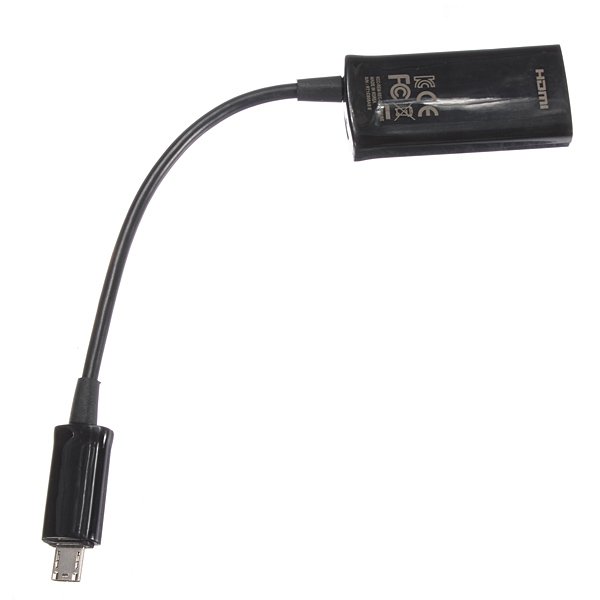
Hot Micro USB MHL To HDMI HDTV Cable Adapter
More than 10 available
Details
Shipping: Australia: free (more destinations)
Condition: Brand new
*The store has not been updated recently. You may want to contact the merchant to confirm the availability of the product.


Hot Micro USB MHL To HDMI HDTV Cable Adapter
This is the same port you use to connect your travel charger. The Video and Audio output will not work correctly if you connect through the desktop dock. The TV screen will display what is on your device home screen.
Features :
Connect a Smartphone, Tablet or Other MHL Enabled Device to an HDMI TV
Designed For Use With Mobile Devices Featuring MHL Technology. Make sure your phone is compatible before purchase.
Alows for a Micro USB Cable (5 Pin) to be connected to the adapter to allow the phone to charge
MHL Adapter allows you to connect a Micro USB (11 Pin) port to a HDMI equipped device
Just Support: Samsung Galaxy S3 i9300 S4 Or Note
Color : Black
Follow the steps below to connect :
1. Connect one end of HDMI cable into the MHL adapter.
2. Connect the other end to the HDMI port on your TV. (HDMI cable not included)
3. Connect your ORIGINAL travel charger to the MHL adapter.
4. Connect your ORIGINAL travel charger to an approved power source.
5. Connect the MHL adapter connector into the Power/Accessory interface port on your device.
Packing Inculded :
1 x MHL adapter
USA DIRECT & USA FREE
Free Delivery to USA USPS First-class direct No taxes or tariffs
FREE shipped at a speed you won't believe.Lighting fast UPS First-class delivery offers great speed to the US,.
Shipping Time
USA 3-6 Business Days Free
SKU094524
This is the same port you use to connect your travel charger. The Video and Audio output will not work correctly if you connect through the desktop dock. The TV screen will display what is on your device home screen.
Features :
Connect a Smartphone, Tablet or Other MHL Enabled Device to an HDMI TV
Designed For Use With Mobile Devices Featuring MHL Technology. Make sure your phone is compatible before purchase.
Alows for a Micro USB Cable (5 Pin) to be connected to the adapter to allow the phone to charge
MHL Adapter allows you to connect a Micro USB (11 Pin) port to a HDMI equipped device
Just Support: Samsung Galaxy S3 i9300 S4 Or Note
Color : Black
Follow the steps below to connect :
1. Connect one end of HDMI cable into the MHL adapter.
2. Connect the other end to the HDMI port on your TV. (HDMI cable not included)
3. Connect your ORIGINAL travel charger to the MHL adapter.
4. Connect your ORIGINAL travel charger to an approved power source.
5. Connect the MHL adapter connector into the Power/Accessory interface port on your device.
Packing Inculded :
1 x MHL adapter
USA DIRECT & USA FREE
Free Delivery to USA USPS First-class direct No taxes or tariffs
FREE shipped at a speed you won't believe.Lighting fast UPS First-class delivery offers great speed to the US,.
Shipping Time
USA 3-6 Business Days Free
SKU094524


 GB, West Midlands
